2.17.2012

project life 2012: weeks 1-3

I finished up the last couple of spots for week 3 last night and figured it was time to share what I've done so far. Trust me, there is nothing unique or revolutionary here so if you're not in the mood for a bunch of photos of nothing, stop here!

I didn't want to go overboard with the detail shots but I still think I probably did. For the most part, I'm going with a white/kraft/grey/b+w color scheme and just pulling color from my stash. The product that I did use is pretty old for the most part but the hybrid stuff is fairly new - a combination of my own stuff and things I've picked up here and there. I'll try to link where I can remember the source!

I'm hoping things become a bit more cohesive as I develop a better process for determining what to include each week. To group things that take up multiple spaces, I'm rounding the outside corners of the entire grouping rather than the individual slots. Not sure it's apparent or doing the job I intended but that's the process for now.

WEEK 1


Left side: A New Years recap, a letter that Jake sent to Zack (learning business form letters in school,) calendar from my Action 2012 freebie, a label and photo of yarn for new project.
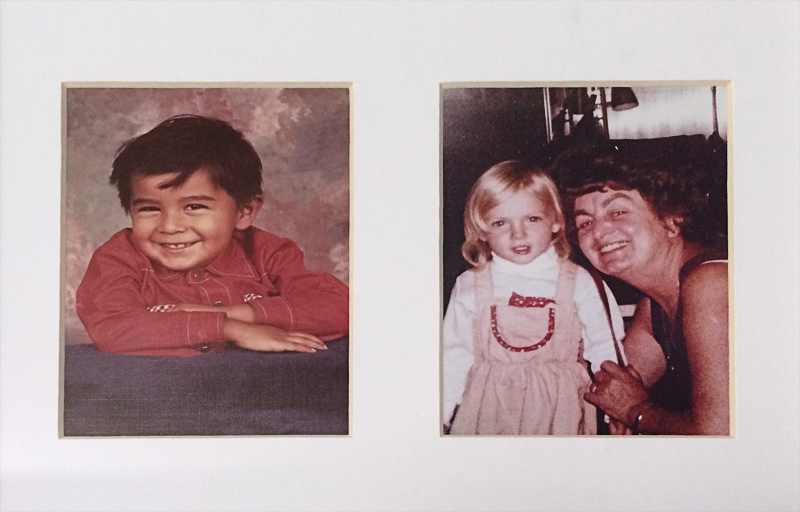
Right side: photo and journaling about Izzy's infatuation with C shaving, C's patented microwave popcorn popping technique (printable card from here,) to do and "watch" card also from the  Action 2012 freebie, MS label on the card with my sister and Izzy, journaling card from Punctuate Journaling Cards, the paper under Izzy's pic is Bo Bunny. I grabbed the Downton Abbey image from the PBS site and the arrow card from 2012 Journaling Cards: Set 2.
This shows the Date Slims that I recolors to attach to the edge of each spread (tutorial for recoloring here.)


WEEK 2

Left Side: Game time with Izzy, funny story about C and the kids, Positive Paw from school for Z, 2 week "title" (no. 2 design from my talented friend, Linda...chevron background from Paislee Press Press Card Bundle,) fun postage from a PBS book I received in the mail, story about Jake's first day of after-school choir.
I included 3 photos from the same time with the journaling printed on the top photo...you can kind of see here how I grouped them by rounding just the top corners of the top photo and the bottom corners of the bottom photo.
(we're still getting serenaded with this song on a daily basis a month later) Rick Astley silhouette image from here because surely, you'll need this for something at some point, some day, right?)
Closeup of Zack's Positive Paw - recognition of good behavior at school (just because I'm so proud :)
Right side: Story of a job interview I had, just a random weekend moment and opening a new can of coffee. Because I LOVE that smell! "Today", "Right Now," and card for the coffee photo from  Paislee Press Press Card Bundle 

 No, I didn't get the job :( And no, my outfit wasn't quite so drab as it appears in the photo. Yes, it was a gorgeous day.


Week 3:


Left Side: A dinner time quote from Zack, a tribute for MLK day (with some facts about him Jake learned at school tucked behind,) recipe, snowy day (card printable from Valorie Brown.)
This is the recipe we made for my dad for his "year of gifts" Christmas present. I plan to include the recipe we use each month along with photos. I loved how Nicole included favorite recipes and wanted to work that idea in somehow. You can download the 6x4" recipe card png file I created at the end of the blog post if you'd like.
Right Side: Randoms from a Friday, Lego building, a new hat, an email from Jake's teacher.
I included photos of C + J, the finished project, the diagram Jake created and the mini Lego robot Izzy and I made at the  same time. 
It's hard to make out the detail from the lower left pocket but I used paper torn from a typography catalog for the background and some ledger printed backing from a pack of October Afternoon rub-ons for the journaling strip.
Close up of the email and Jake's spelling test tucked in the other pocket.
My helper checking out the photos while I took pictures :) I'll surely be building with Lego's shortly.

 Just click the recipe card image to get the full size to save.


2.15.2012

ten years.


Today, Carlos and I have been married for 10 years.

Incredible.

We were supposed to be living it up in Hawaii for our 10 year anniversary. That's been the plan from the beginning. Last year at this time, we spent hours looking at different lodging and activities...dreaming of the warm, lazy days we'd be whiling away a year henceforth.

Ever since Carlos started traveling for work about 2.5 years ago, we've intended on using the Delta miles he was racking up to make the trip. We were even going First Class, baby. What a great perk.

This was the job that "reduced" his position - along with that of 400 other employees - the week before Thanksgiving. The job that took my husband and the kids' father away from us 2 weeks every month for more than 2 years. We made a lot of sacrifices for that job. Willingly, yes, but with the promise that it was going to lead to bigger and better things for him.

Since then, we've been as frugal as possible. Cutting unnecessary expenses (including Izzy's 2 day a week preschool - this is heartbreaking for us because she LOVES school,) both of us applying for any job we feel remotely qualified for, and me doing as much design and freelance work as I can get my hands on.

I'm not sharing this for sympathy. I honestly don't like to talk about it at all (which, I know, drives my family crazy...they worry.) I simply know we are doing everything we can to get back on our feet and no amount of talking will fix things.

The point is, our long-intended decade anniversary trip didn't happen. Instead, we whispered "Happy Anniversary" to each other for the first time in the early hours this morning; right after my alarm went off to dose Zack with his amoxicillin. We spent the day keeping germs at bay. Entertaining a home-bound 7 year old and a cooped up 3 year old.

Glamorous.

Ironically, one of the last trips he made for his company was to Hawaii for a week. We talked about me tagging along but with the intense schedule of training and island hopping he had ahead of him, it seemed a waste of miles. Kind of wishing we would have made that happen now.

They may have taken our vacation away but not our spirit and not our optimism. We've had rough patches before and always gotten through them. Ten years later, we're older. Wiser. Stronger. Smarter. More in love than ever.

A little retrospective (cut me some slack...I did these a long time ago!):

Our wedding day (Vegas. That's the way to do it! lol)
Two kids and two and a half years in ;)


Our 5 year anniversary trip to Toronto.
We're thinking a 20 year anniversary trip to Australia would be nice.

2.14.2012

new today and a free printable

Two new kits today:

Instaframes V1 (you can see how the amazing Lisa used the "love ths" design  to create a cut file/confetti pocket for her project life album here)

Trendspotting Frames and journaling card printables

I had a seventh design that didn't make it into this kit that I'd love to share...I hate for things to go to waste :) Just click on the images to get the full size for saving!

I don't have a Silhouette or any other cutting machine but I *am* excited to grab my trusty xacto to try out a few of these for my own album. I had a busy weekend playing catch up and I'm DONE with weeks 1-3 with a good start on 4 and 5. I don't get much time during the week to do stuff for my own albums but hopefully, by the end of the upcoming weekend, I'll be nearly caught up. Kind of excited about that.

We aren't big on Valentine's Day around here (though I do have small gifts and a sweet dessert treat lined up for the kiddos) but I hope wherever you are and whomever you share the day with, there is lots of happiness and love. I'll be nursing Zack through his second day of fighting an upper respiratory infection and ear infection but he is doing SO much better today than yesterday...just bummed he's missing the festivities at school today.

And though C and I don't do anything special for the day. I thought this video was an appropriate display of affection for him. He agreed :)


2.10.2012

using dingbat fonts to create cut files

I promised an easy tutorial for using dingbat fonts to create files suitable for cutting and I assure you this IS easy. Don't let the excessive number of screenshots deter you - I just wanted to be thorough!

Let's get started. I use PSE for your reference.

1. Start by choosing your font and image (this turtle is from DW Boys will be Boys - letter "m") Try to size it approximate to the size you'll be cutting and when it doubt, go bigger. Your quality will always be better downsizing rather than upsizing.

2. Next, "simplify" the layer (Layer>Simplify Layer OR right click on the layer in the layers palette and choose "simplify layer.")

3.  This shows how the layer thumbnail appears after simplifying.

4.  Choose your Magic Wand Tool (W) and click on your canvas anywhere *outside* of the image outline. NOTE: If there are any breaks in the outline, you'll need to close them. I'll show how to do this at the end of the post.

5.  Click shift + ctrl + I (or Select>Inverse) to reverse your selection area.
6. Activate your brush tool (B.)
7. Make your brush HUGE and stroke over the selected area.
8. Hide your background layer (click the eye icon) and click File>Save As (shift + ctrl + S.) Save the image as a png file - this will allow you to open and trace in your Silhouette (or other? not familiar with other machines) software.


Now that you have a basic understanding of creating your png file, I'll show you an easy way to add a bit more detail.

9. I layered a copy of the turtle image over the simplified, black layer.
10. After simplifying the new layer, activate your eraser tool (E.)
11. Next, I erased all of the image except for some basic detail that I thought would add to the final product (eyes and a mouth help, right?)
12. With the black layer selected, hold your ctrl key and click on the thumbnail for the top detail layer. This will create a selection area ("marching ants") for the eyes and mouth.
13. Hit the delete key to remove the detail from the black layer and hide the top layer by clicking the eye icon. Save as a png file as directed previously.
This screenshot shows the trace image in the Silhouette software (the turtle kind of turned brontosaurus in the process but you get the idea ;)

And finally, to show you how to close gaps in your outlines.

Again, start with your dingbat ("b" from the DW Make A Wish font) and simplify.
Activate your brush tool (B) and change the brush size to something fairly small (I was around 8 or 9 pixels.)
Fill in all of the gaps in the outline. No need to be super precise about this. However, I would do this on a new layer for now (the new layer icon is the first icon located on the bottom of the layers palette.)
This show just the new layer with the brush marks I created to close the gaps.
Once you're satisfied that the gaps are filled, merge both the image layer and the brush layer (select both layers by holding the shift key and then click ctrl + E)

After coloring the dingbat.
And after adding a bit of detail back in.


There are really SO many possibilities with dingbats. And the best way to learn how to do it is to simply play. If you have questions, leave them in the comments and I'll do my best to answer :)

2.09.2012

blog graphics


Morning all! It's a beautiful, sunny day here and I'm convinced that it's going to be a great day. I have my favorite mug (a result of the school Christmas store + Jake's careful choosing a couple of years ago) and the morning went off without a hitch. "Productive" is the adjective I'm most hoping to be able to use to describe my day when it meets it's end.

A couple of weeks ago, I helped my dear friend Mel by designing a few graphics for her blog and her recipe journal. I created a few different options and wanted to share with you the ones she didn't end up using. I have no interest at all in getting into the blog design business but since these are already designed, I figured I'd offer them up if anyone is interested in having them.

I know next to nothing about blog formatting but if you know what you need and you're interested in any of these, I will be happy to adjust the text, colors and size to fit your needs. I will also do any sidebars and/or post graphics to coordinate. $30 for all of the graphics in jpeg or $40 if you'd like the jpegs as well as layered, editable versions.

Just email me if you'd like to talk about any of them!

E

Related Posts Plugin for WordPress, Blogger...